Blogs

Practical guides on growing your restaurant or retail business.

WhatsApp Marketing for Restaurants
AI

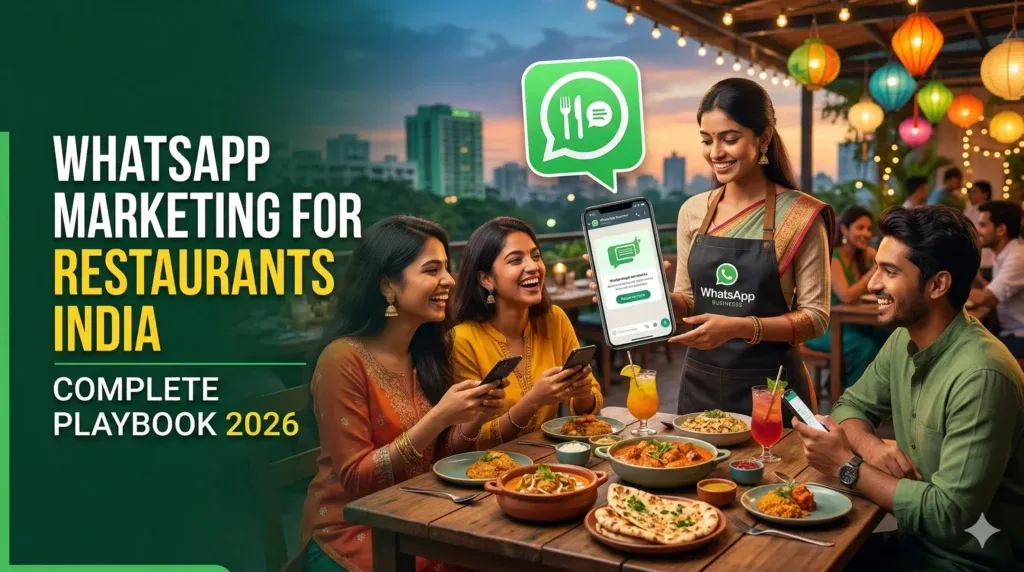
WhatsApp Marketing for Restaurants India – Complete Playbook 2026

India has over 500 million active WhatsApp users, and the average Indian checks WhatsApp 23 times a day. For restaurant owners, this presents an unmatched opportunity: direct access to customers on the one app they never ignore. Traditional restaurant marketing, newspaper ads, Zomato promotions, and SMS blasts are losing effectiveness. Zomato and Swiggy take 20-30% commission on every order. SMS open rates have dropped below 10%. Email marketing barely works in the Indian restaurant context, where most diners never share their email. WhatsApp marketing changes the equation entirely. With 85-95% open rates, near-instant delivery, and the ability to send rich media (images, videos, PDFs, location pins), WhatsApp lets restaurants build direct relationships with their customers, no middleman, no commission, no algorithm deciding who sees your message. This comprehensive playbook covers everything you need to know about WhatsApp marketing for restaurants in India: from setting up WhatsApp Business API to running broadcast campaigns, integrating loyalty programs, filling empty tables on slow days, and measuring ROI. Whether you run a single outlet or a 50-location chain, this guide gives you the exact strategies that top Indian restaurants use to generate 3-5x returns on their WhatsApp marketing spend. KEY TAKEAWAY Indian restaurants using WhatsApp marketing report 40% higher repeat visit rates, 85-95% message open rates, and 3-5x ROI compared to traditional SMS and email marketing. The combination of WhatsApp + loyalty programs is the most powerful retention strategy available to Indian restaurants today. 1. The State of Restaurant Marketing in India (2026) The Indian food service industry is valued at over INR 5.99 lakh crore (USD 72 billion) and growing at 9% annually. Yet most restaurants operate on razor-thin margins of 8-15%, making efficient customer acquisition and retention critical to survival. 1.1 The Problem with Current Marketing Channels Channel Open Rate Cost per Reach Commission Limitation Zomato/Swiggy Ads — INR 15-40/click 20-30% No customer data ownership SMS Marketing 5-10% INR 0.15-0.25/SMS None DND restrictions, no rich media Email Marketing 12-18% INR 0.50-1.50/email None Low email adoption in India Instagram/Facebook 2-6% INR 5-20/reach None Algorithm-dependent reach WhatsApp Marketing 85-95% INR 0.30-0.80/msg None Requires opt-in (advantage) The data is clear: WhatsApp delivers 8-15x higher open rates than any other channel while keeping costs comparable to SMS. The opt-in requirement, often seen as a limitation, is actually an advantage — it means your audience is pre-qualified and genuinely interested in hearing from you. 1.2 Why WhatsApp Works for Indian Restaurants India-specific factors make WhatsApp uniquely powerful for restaurant marketing. First, WhatsApp is the default communication app — unlike the US or Europe where email dominates business communication, Indian consumers expect businesses to communicate via WhatsApp. Second, the rich media capabilities allow restaurants to send mouth-watering food images, video tours, PDF menus, and location pins — something SMS cannot do. Third, the two-way nature of WhatsApp creates genuine conversations, building the kind of personal relationships that drive loyalty in Indian dining culture. 2. Setting Up WhatsApp Marketing for Your Restaurant 2.1 WhatsApp Business App vs WhatsApp Business API The first decision every restaurant must make is choosing between the free WhatsApp Business App and the paid WhatsApp Business API. Here is how they compare: Feature WhatsApp Business App (Free) WhatsApp Business API Cost Free INR 0.30-0.80 per conversation Broadcast Limit 256 contacts per list Unlimited Automation Basic auto-replies Full chatbot + workflow automation CRM Integration None Full CRM, POS, loyalty integration Multiple Users Up to 4 devices Unlimited team members Analytics Basic message stats Detailed delivery, read, click reports Green Tick Verification Not available Available (builds trust) Best For Single outlet, <500 customers Multi-outlet, 500+ customers For restaurants with fewer than 500 regular customers and a single location, the free WhatsApp Business App is a good starting point. However, once you cross 500 customers or want to automate campaigns, the WhatsApp Business API becomes essential. Platforms like Waakif provide WhatsApp Business API access along with built-in loyalty programs, making setup seamless. 2.2 Building Your WhatsApp Contact List The foundation of WhatsApp marketing is your contact list. Unlike SMS, where you can buy numbers, WhatsApp requires explicit opt-in, which means every contact is genuinely interested. Here are proven methods Indian restaurants use to build their list: QR Code on Tables and Receipts: Place a WhatsApp QR code on every table tent, receipt, and menu. When customers scan it, they are automatically added to your WhatsApp list and receive a welcome message with a first-visit discount. This is the highest-converting method; restaurants using Waakif QR menus see 25-35% of diners opting in during their first visit. Checkout Opt-in: Train your billing staff to ask “Would you like to receive exclusive offers on WhatsApp?” during checkout. Combine this with an instant reward (10% off next visit) to boost opt-in rates to 60-70%. WiFi-Gated Opt-in: Offer free WiFi in exchange for WhatsApp number registration. This method works especially well for cafes and casual dining restaurants where guests spend 30+ minutes. Social Media Funnel: Use your Instagram bio link and Facebook CTA buttons to direct followers to your WhatsApp. Run “Message us on WhatsApp for a secret menu item” campaigns to drive opt-ins from social followers. 3. The 5 Core WhatsApp Marketing Strategies for Restaurants 3.1 Broadcast Campaigns Broadcast campaigns are the backbone of restaurant WhatsApp marketing. These are one-to-many messages sent to your entire customer list (or targeted segments) promoting new dishes, special offers, events, or seasonal menus. The key to effective broadcasts is segmentation and timing. Best practices include sending broadcasts between 11:00-11:30 AM (pre-lunch decision window) or 5:30-6:00 PM (pre-dinner), limiting frequency to 2-3 broadcasts per week maximum, personalizing with the customer name and their last order, and always including a clear call-to-action like “Reply 1 to reserve a table” or “Show this message for 15% off.” 3.2 Loyalty Program Integration The combination of WhatsApp messaging and a digital loyalty program is arguably the most powerful retention tool available to Indian restaurants. When a customer earns loyalty points, they receive an instant WhatsApp notification: “Hi Rahul! You earned

Waakif
Instagram

How to Set Up Instagram Auto Reply: A Quick Guide

Your Instagram post is a hit. Your comments and DMs are blowing up asking for links. What if this becomes a daily chorus? In a world where at least 50% of Instagram users interact with brands every 24 hours, replying to DMs is a full-time job. Sending links manually for hours to a never-ending stream of messages is tiring, isn’t it? That’s where Instagram Auto reply enters as a saviour, automatically sending links, saving your tremendous time and efforts. This blog is a comprehensive step-by-step guide on how to set up Instagram auto reply and unleash the true potential of your brand. What is Instagram auto reply? Auto reply is a feature that responds to messages when a user types a specific word or message with minimal manual effort. For example, when a user comments “link”, Instagram auto-replies, automatically sends the desired link without your intervention. You can set up automated messages in two ways: Quick reply – Manual setup Auto reply – Automated setup How to set up Quick reply on Instagram? Do you get the same inquiries every now and then? So, you must be tired of typing the same messages every time, right? To get rid of this unnecessary effort, Instagram has an in-built feature of Quick Replies. However, this feature is only limited to business and creator accounts. Follow these quick steps to enable quick replies with just a few clicks. Step 1: Go to Account Settings Click on the three-line menu at the top right. Select Settings and Privacy option. Under the’ Creator tools and controls’ option, select the Saved replies option. Step 2: Create a Quick reply. Click on the ‘+’ icon at the top right. In the Shortcut option, add the word that will prompt the quick reply. Make sure the word is short and easy to remember, like Link, Address, etc. In the Message field, type out the full Instagram auto reply message you want to send when prompted. Step 3: Send the Quick Reply Whenever you get a message, type in the shortcut word in the chatbox. A bubble will appear showing your shortcut message. Tap on the Bubble and hit send. Voila! You have successfully established your Quick reply. How to set up Instagram DM Automation? Even though Quick Reply is a great feature, it requires manual triggering and is not completely automated. Instagram doesn’t have a built-in feature to completely automate replies. However, you can use third-party apps and platforms to automate replies and enable Instagram chatbots. Here’s a quick walkthrough on how to set up Instagram Auto reply using a third-party platform. Step 1: Switch to Business/Creators account The first requirement of setting up an auto reply bot is to have a professional account. Step 2: Connect your Instagram to a third-party app Sign up on Waakif, ManyChat, or any other platform that suits your needs. Connect your Instagram Account through Meta Business Manager. Grant the necessary permissions for automation and messaging. Step 3: Choose the type of Auto reply you  want Most apps allow you to automate: Send Welcome messages – Greet new followers FAQ replies – Respond to frequently asked questions, such as price, shipping, and delivery time. Story DMs – Send DM when someone reacts to your story Comment Reply: Auto reply to post comments to drive engagement Step 4: Set up your automated reply flow Go to the app’s dashboard Select ‘Automation‘ or ‘Create Flow‘ Type your Reply messages. For example: Thank you for commenting, here’s your ‘link’. Add keywords or trigger (When someone types “Price”, send the catalog automatically) Step 5: Customize replies Add a touch of personalization, like a username, to make your automated reply sound personal. Use emojis and a friendly tone to sound more approachable and less robotic. Add CTA like ‘Shop Now’, ‘Get Offer’, etc. Step 6: Test your auto reply Send yourself dm or comment to check if the Instagram auto reply bot is working properly. Make changes and adjustments if needed. Ta-da! Your auto reply flow has triumphantly taken flight! Best Practices for Instagram Auto Replies To make the most out of your auto reply flow, follow these quick tips: Personalize the message and use user details as and when possible. Be clear, concise, and send exactly what’s demanded Add a human touch by using a friendly tone Segment responses, such as FAQs, comment replies, DM replies, etc., for better management Monitor the automated flow and make changes in a timely manner to maximize its potential Once your auto-reply system is set, take it a step further by collecting valuable feedback.Discover how to turn customer feedback into growth with Why Feedback Automation Is the Ultimate Game-Changer for Growing Brands Why set up Instagram Dm automation? Setting up Instagram DM automation is a win-win situation, as you can shed off your workload and also enhance your customer support services. Have a look at the instant feature you can unleash by setting up Instagram DM automation: Instantly reply to comments with ready templates Easy Instagram DM automation with ready-made templates Ask customers to tag you in posts and reward them with loyalty points Directly send product offers to potential customers Run a viral giveaway with ease and pick up winners automatically from comments Enable DM to contest – Customers send a keyword and get a quick quiz, and unlock discounts by answering it correctly All this feature enhances your brand’s credibility and visibility, and due to quick replies, customer satisfaction is enhanced, improving the brand’s trustworthiness. Ready to create your own automation flow? Start with Waakif’s free demo today! Get Started Now → Instagram auto reply message template Here are some Instagram auto-reply message templates you can use right away. Welcome message: When someone sends the first message Hey there! 💌 Thanks for sliding into our DMs. We love chatting with our community. What brings you here today? Hi [Name] 👋 , Thanks for reaching out! We’ll get back to you shortly. Meanwhile, check our latest collection here: [link]. ✨

start taking whatsapp orders
Customer Retention

Start Taking WhatsApp Orders with a Free Online Store

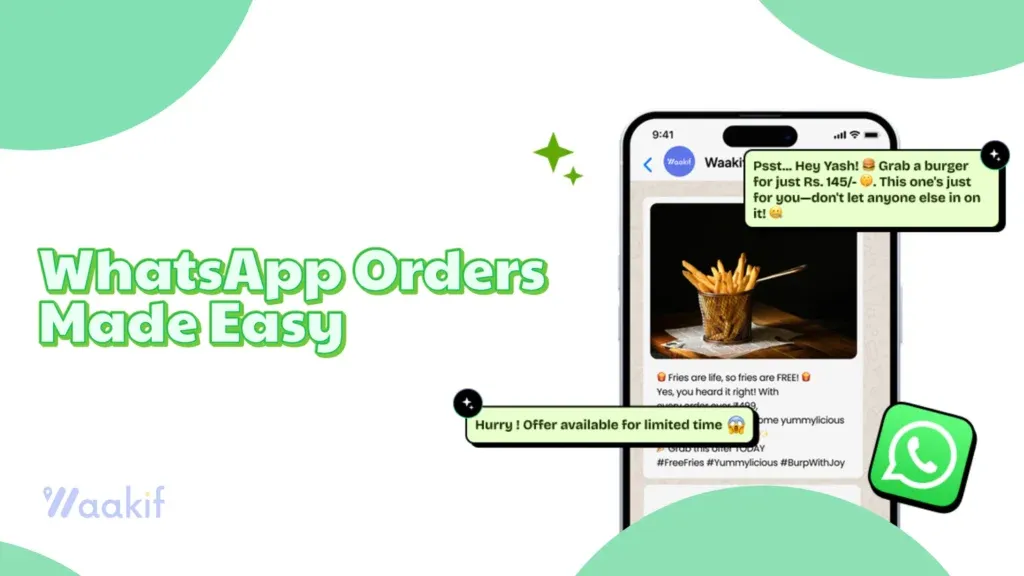
Digitalisation is taking over the globe in a whirlwind. And owing to this rapid change, the line between social communication and commerce is blurring. Modern consumers are always in a hurry and avoid engaging in a complex ordering process. To cope with this changing consumer perspective, businesses need to start taking WhatsApp orders and meet customers where they already are. This blog provides a comprehensive guide on how to start taking WhatsApp orders and set up a WhatsApp store to streamline your ordering process. Why sell over WhatsApp WhatsApp is where customers already chat. Allowing them to explore the catalogue, add to cart, place order, and make payment on WhatsApp reduces the friction and shortens the buying path, enhancing repeat orders and customer retention. Moreover, selling on WhatsApp offers the following benefits: Vast user base Cost-effective marketplace Personalised and direct communication No website requirement Easy catalog building and browsing 24/7 availability Easy optimisation for SEO and Discoverability How to Create a Free Online Store and Start taking WhatsApp orders The process of creating the WhatsApp Store is an easy one. Follow these simple steps and create your online store in a few clicks. Set up a WhatsApp Business Account If you do not already have a WhatsApp Business account, download the free WhatsApp Business application and create a WhatsApp Business Account by registering the business name, other details, and creating a catchy profile. Register and set up the WhatsApp API to commercialize your WhatsApp business account and avail the best and premium features. Create a digital catalog Use the built-in WhatsApp Catalog feature and upload the pictures and details of all your products. While preparing a catalog, keep in mind the following points: Upload Square photos Keep the title short and SEO optimized for better visibility Add product description with dimensions and all the relevant details Save 3-5 images for bestselling products Sign up for the WhatsApp store builder Select a WhatsApp store builder that supports WhatsApp flows. Go through the features of each software and select the one that best suits your requirements, and link it with your Business account. Here’s a list of some of the best WhatsApp store builders: Waakif Watskart Vepaar Integrate with payment gateways Link your business account to the payment gateways like Instamojo to streamline the ordering process and collect payments easily via WhatsApp itself. Share your WhatsApp link Once you have streamlined and integrated your WhatsApp workflow, share your account details with peers and on social media platforms to expand your reach and start selling on WhatsApp. Real-life Use Cases Small retail shops can upload their catalog and offer flash sales using the free WhatsApp store, starting to take WhatsApp orders easily and quickly. Restaurant owners can utilise the power of WhatsApp e-commerce stores to share menus, take reservations, send invoices, collect payments, and get feedback Brand owners can use the platform for exclusive product launches, launching campaigns, and sending reminders about abandoned carts Service providers can take advantage of the free store to send service updates and feedback requests How Waakif helps in building a WhatsApp e-commerce store WhatsApp Business itself provides a good start for your store; however, platforms like Waakif take your store to new heights. Waakif is an AI-powered platform that streamlines your business process and enhances your WhatsApp ecommerce store by providing the following features: AI-powered WhatsApp marketing automation to enhance customer engagement Simplified WhatsApp API integration Automated bulk messaging features to send offers and personalised messages Automated chatbot to interact with customers in real time Seamless CRM integration Automated follow-up messages to track the order progress Loyalty programs to assist in customer retention Easy feedback collection Effective online store creation Multi-user access for the owner and the team Free online store + Product pages Integrate online orders and Walk-in orders in one dashboard through POS software Smart WhatsApp order management system AI-powered insights to know the store performance Real-time inventory sync that automatically marks the product as unavailable and hides it to ensure a smooth customer experience Unlock the full potential of your business with Waakif! Go beyond mere messaging and dive into the world of conversational commerce. With a free online store that showcases your brand, you can connect with your customers like never before. Imagine WhatsApp as your personal hotline, allowing for direct and meaningful interactions, all backed by Waakif’s powerful infrastructure. Elevate your customer experience, make every conversation count, and start taking WhatsApp orders TODAY!

Waakif
AI

Creator Account on Instagram: 5 Best Way to Grow Faster

If you want to grow your audience, attract brand deals, or monetise your influence, switching to a creator account on Instagram is one of the smartest moves you can make. It provides access to advanced analytics, enhanced messaging tools, and exclusive features specifically designed for creators. Let’s break it down step by step. What is a Creator Account on Instagram? A creator account is one of Instagram’s professional profile types (the other is a business account). It’s made for influencers, artists, educators, and public figures who focus on personal branding and content creation. Alongside Instagram, they have an Official Creator Instagram Account to promote reels and the creators’ community. Unlike a personal profile, it unlocks analytics, branded content tools, and insights you can use to grow. Features of Instagram Creator Accounts Here’s what you get when you switch: Advanced insights – See reach, impressions, and follower growth. DM filtering – Organise messages into Primary, General, and Requests. Branded content tools – Tag sponsors and manage partnerships. Category options – Display “Coach,” “Artist,” “Digital Creator,” etc. Growth tracking – Daily follow/unfollow stats. Content scheduling – Schedule posts via Creator Studio. Creator Account vs Business Account Business accounts are for companies and organisations. They emphasise ads, commerce, and team access. Creator accounts are for individuals. They emphasise personal growth, influencer tools, and audience insights. If you’re a brand selling products, go into business. If you’re a person building influence, go creator. Why Switch to a Creator Account? Instagram is investing heavily in creators. Most new monetisation tools like Reels bonuses, subscriptions, and the Creator Marketplace are designed for creator accounts. Benefits include: Higher visibility in geo-based search. AI search optimisation (profiles now show up when users type things like “best travel creators in India”). Access to the Instagram Professional Dashboard with monetisation and learning resources. Instagram Creator Studio: The Dashboard for Creators When you activate a creator account on Instagram, you can also use Instagram Creator Studio, a free desktop tool. What Creator Studio Offers: Upload and schedule posts from desktop. Track performance insights more deeply than the mobile app. Manage branded content approvals and payments. Respond to comments and DMs in one inbox. Post to Instagram and Facebook simultaneously if linked. For serious creators, Creator Studio is the planning hub that saves time and improves content strategy. How to Switch to a Creator Account on Instagram Open the Instagram app. Go to your profile > ☰ menu > Account type and controls Tap Account type and tools. Select Switch to professional account. Choose Creator. Pick a category (Artist, Coach, Public Figure, etc). Adjust contact info and profile display. That’s it, you now have a creator account. Full Video Guide on how to make a Creator Account on Instagram:  Who Should Use a Creator Account? Influencers and digital creators Artists, musicians, and photographers Coaches, trainers, and educators Podcasters, authors, and speakers Freelancers building personal brands SEO Tips to Grow with a Creator Account Use keywords in your name and bio (e.g., “Digital Creator | Fitness Coach”). Add your location for geo search. Use semantic hashtags (#InstagramCreator, #DigitalCreator, #CreatorAccount). Analyse insights weekly to refine content. Collaborate with brands for credibility. 5 Best Ways to Use a Creator Account on Instagram Once you’ve switched to a creator account on Instagram, here are the top strategies to maximize it: Leverage Creator Studio for SchedulingPlan and publish posts from desktop. This keeps your feed consistent, which is key for growth. Use Insights to Refine ContentCheck which posts bring the most reach and engagement. Double down on what works, drop what doesn’t. Optimize Your Profile for SearchAdd keywords and your location in your bio. This helps both geo search and Instagram’s new AI search surface your account. Collaborate with Brands and CreatorsUse the branded content tool to make partnerships official. Co-created Reels and Lives often get more visibility. Experiment with Monetization ToolsTry subscriptions, badges, or Reels bonuses. Even small income streams add up and show brands you’re serious. Final Thoughts Switching to a creator account on Instagram is the fastest way to get access to growth tools, analytics, and monetisation features that personal profiles don’t offer. Pair it with Instagram Creator Studio for scheduling and insights, and you’ve got a professional setup that can scale your influence. If you want to be discovered, land collaborations, or build a digital brand, this is the move.

Waakif
AI

Why Feedback Automation Is the Ultimate Game-Changer for Growing Brands

Listening to your customers drives growth. But let’s be real—collecting, recording, and analyzing feedback manually is slow and painful. Feedback automation changes that. It captures input across channels, processes it instantly, and gives you insights you can act on. Quick stat: 77% of consumers say they think more positively about brands that actively collect and respond to feedback. What is feedback automation? Feedback automation uses AI, CRM and POS integrations, microsurveys, and chatbots to capture and analyze customer input. It automatically classifies sentiment, identifies themes, and feeds results into your marketing and retention campaigns. With automation, you can gather insights from: Online reviews Social media mentions Email surveys In-app forms Chatbot conversations Why brands should automate feedback 1. Efficiency and time savings Automation reduces manual work. Instead of chasing surveys, your team can focus on improving customer loyalty and retention. 2. Scalability As you grow across multiple channels—web, apps, QR menus, social media—feedback automation ensures all voices are captured consistently. 3. Real-time insights No more waiting weeks for a report. Automated analysis highlights customer pain points instantly so you can fix issues before they escalate. 4. Stronger customer experience Responding quickly builds trust. Customers feel heard, which increases brand credibility and repeat sales. 5. Data-driven growth Automation uncovers trends, predicts churn, and reveals upsell opportunities. With AI-powered insights, you can design strategies that actually move the needle. 6. Seamless integration Feedback tools connect easily with your restaurant POS, online ordering, and WhatsApp marketing campaigns—closing the loop between operations, marketing, and retention. How to implement feedback automation Pick the right tool. Choose a solution that integrates with your CRM, POS, and marketing stack. Map touchpoints. Place surveys at critical stages—post-purchase, after delivery, or following support interactions. Set up automation. Example: trigger an NPS survey 24 hours after an order. Use AI analysis. Tools like Waakif run sentiment analysis automatically to flag issues. Integrate with campaigns. Sync with loyalty offers and remarketing flows. Automate responses. Send instant acknowledgments, escalate negatives, and reward promoters. Close the loop. Thank customers with personal notes or exclusive discounts to show their feedback matters. Top feedback automation software Waakif In-app surveys and post-visit prompts AI-powered analytics that convert raw input into actions Triggers for loyalty, recovery offers, and WhatsApp campaigns Unified feedback + retention + marketing in one platform Best for: Retail, hospitality, D2C, and SMB brands focused on CX BuildBetter.ai AI workflows with 100+ integrations GDPR/HIPAA/SOC compliance Automated documentation (e.g., call summaries) Best for: Enterprises needing advanced analytics and compliance Zonka Feedback Multichannel collection Smart templates with multilingual support Real-time dashboards and sentiment analytics Best for: SMBs and customer experience managers Typeform Conversational and engaging surveys Templates for NPS, CSAT, CES Integrations with Zapier and HubSpot Best for: Brands prioritizing UX and engagement Medallia Real-time multi-channel feedback Emotion and trend detection Case management to close feedback loops Best for: Global organizations with complex CX needs Other notable tools Software Notable features Best for SurveyMonkey Advanced logic, analytics, team collaboration Enterprise research airfocus Centralized feedback, product insights, modular workspaces Product managers Userback AI feedback, heatmaps, session recordings SaaS and digital products Qualaroo AI sentiment analysis, advanced targeting Contextual feedback Survicate Multi-channel surveys, NPS/CSAT templates Versatile deployment Chisel AI product management insights Product-driven teams Case study: D2C brand success A skincare brand used Waakif’s automation across their website, email, and Instagram DMs: Survey response rate jumped 65% Negative issue resolution dropped from 48 hours to 6 Repeat purchase rate grew 22% Future trends to watch AI-driven sentiment prediction Voice feedback automation AR/VR-powered feedback collection Conclusion Feedback automation is more than efficiency—it’s a growth engine. It ensures every customer voice shapes your next move. With Waakif, you don’t just automate surveys—you connect them to loyalty programs, POS systems, and marketing campaigns. Talk to us today to start turning feedback into growth opportunities.

Waakif
How to

How to Schedule WhatsApp Messages for Effortless Communication and Maximum Impact

Have you ever forgotten to send a promotional message, birthday greeting, payment reminder, or abandoned cart notification? Delayed or forgotten reminders and messages can hamper your business and pose great difficulty for you. Here’s an actionable guide on how to schedule WhatsApp messages on various devices such as iPhone, Android, and WhatsApp web. Scheduling messages helps you overcome the tedious task of sending manual messages and also lets you communicate at the right time, improve engagement, and automate regular reminders or campaigns. Why schedule WhatsApp Messages? Improve timely communications by sending messages when your client is active or on critical dates like birthdays. WhatsApp automation helps in sending recurring reminders, promotions, and customer support without manual intervention. WhatsApp scheduling improves efficiency and ensures consistent brand messaging. How to schedule WhatsApp messages On Android 1. Install SKEDit or another reliable WhatsApp message scheduler from the Google Play Store. 2. Grant necessary permissions during setup. 3. Select WhatsApp as the channel. 4. Pick the contact or group. 5. Enter your message and select date/time and repeat intervals. 6. Tap “Schedule”. 7. The app will notify you when the message is done. Other WhatsApp scheduling apps Wasavi Do it later WhatAuto Auto Text On iPhone 1. Install Apple’s “Shortcuts” app. 2. Create a personal automation and select Date/Time. 3. Add a “Text action” for your message. 4. Add “Send Message Through WhatsApp” and select the contact. 5. At the scheduled time, you’ll get a prompt from the app to manually send the message. The message will be ready; you just need to click send, as full automation is not possible due to iOS privacy restrictions. On WhatsApp web/Desktop 1. Install a Chrome extension like Blueticks or WhatsApp Web Message Scheduler. 2. Open WhatsApp web, Login and select the desired contact. 3. Look for the scheduler icon in your chat list, set the date/time, and type your message. 4. Select Schedule and “Repeat’ for recurring message. On WhatsApp Business or API 1. Use Built-in WhatsApp automation (Greeting and get away message). 2. For advanced needs, connect to WhatsApp Business API via platforms like TimelinesAI, Kommo, or respond.io. 3. Automate personalized message campaigns, track analytics, and manage opt-outs efficiently. Quick Tips Plan content and scheduled messages to align with your campaign Segment the audience for a personalized touch. Schedule messages based on the recipient’s local time. Check the Automation by sending a draft to yourself first. Follow WhatsApp’s policies and provide opt-out options for bulk messaging Avoid sending too many messages, as it can get you reported as spam or even blocked. Final Thoughts While WhatsApp lacks an integrated message scheduling feature, you can leverage third-party applications, browser extensions, and the WhatsApp API to effortlessly automate and schedule your messages across all devices. For businesses, investing in these powerful scheduling tools can significantly enhance customer engagement, ensure timely responses, and optimize communication flow. Just be sure to prioritize user privacy and adhere to appropriate messaging frequencies to achieve the best results. Dive into our latest blog post, “10 Best WhatsApp Bulk Sender Tools Compared: The 2025 Ultimate Review!” Unlock invaluable insights on bulk messaging and discover the perfect tool to elevate your communication game! Don’t miss out on this essential guide!

Whatsapp ordering
Online Ordering

WhatsApp Ordering: Transforming Restaurants and Retail

WhatsApp ordering is revolutionising how businesses interact with customers, making the buying process more seamless, personal, and efficient. Whether you run a restaurant or a retail store, integrating WhatsApp ordering can streamline operations, boost customer engagement, and increase sales. Here’s how WhatsApp ordering is reshaping the food and retail industries. WhatsApp Ordering for Restaurants Restaurants are increasingly adopting WhatsApp ordering to simplify the customer journey from menu browsing to order confirmation. Here’s why it’s a game-changer: Direct and Convenient Communication: WhatsApp allows restaurants to connect directly with customers, eliminating the need for third-party apps or complex systems. Customers can place orders, ask questions, and receive updates all within a familiar chat interface. Effortless Order Management: Orders can be managed in real-time, reducing errors and ensuring accuracy. Automation features enable instant confirmations and streamline the entire process, from reservation to feedback collection. Enhanced Customer Experience: Personalized promotions, instant support, and real-time messaging foster loyalty and encourage repeat business. WhatsApp’s end-to-end encryption also ensures secure communication, building trust with diners. Easy Integration: Restaurants can create digital menus using WhatsApp catalogs, automate replies, and even integrate with payment gateways and CRM systems for a smooth workflow. WhatsApp Ordering for Retail Retailers are leveraging WhatsApp to offer a more engaging and personalized shopping experience: Personalized Customer Engagement: Retailers can share product images, catalogs, and even video demos, guiding customers through their shopping journey in real time. Automated greetings and tailored recommendations based on shopping behavior enhance engagement and brand loyalty. Seamless Order and Payment Processing: Customers can browse catalogs, place orders, and make payments, all within WhatsApp. This reduces cart abandonment by making checkout quick and frictionless. Real-Time Support and Updates: Retailers can provide instant customer support, send order confirmations, track deliveries, and automate returns or refunds, ensuring a hassle-free experience. Upselling and Cross-Selling: The conversational nature of WhatsApp enables retailers to suggest complementary products or upgrades, thereby increasing average order values and profitability. How WhatsApp Ordering Works The process is simple and user-friendly for both businesses and customers: Business Setup: Create a WhatsApp Business profile and optimize it with your brand details. Catalog Creation: Add products or menu items to your WhatsApp catalog, complete with images, descriptions, and prices. Promotion: Share your WhatsApp ordering link or QR code on your website, social media, and in-store materials to encourage customers to start a chat. Order Placement: Customers browse the catalog, select items, and place orders directly through WhatsApp. Automated chatbots can guide them through the process. Order Management: Businesses receive orders instantly, confirm them, and process payments all within the app. Follow-up: Send order updates, delivery tracking, and request feedback to nurture long-term customer relationships. SEO Benefits of WhatsApp Ordering Using WhatsApp catalogs with keyword-rich product titles and descriptions can also enhance your website’s SEO. High-quality images, product categories, and customer reviews included in your catalog help improve search engine rankings and drive more organic traffic to your site. In today’s fast-paced world, customers want convenience. That’s why more restaurants and retail stores are turning to WhatsApp Ordering, a simple, familiar way for customers to place orders instantly. Waakif makes this shift smooth, smart, and scalable. How Waakif Helps You Enable WhatsApp Ordering 1. Smart Order ManagementWaakif connects directly with your WhatsApp number to turn messages into organized orders. Customers can simply type what they want, and Waakif captures, categorizes, and routes the order to your POS system or team dashboard. 2. Product Catalog on WhatsAppCustomers can view your full menu or product list right on WhatsApp and your free online store. Our auto-reply system sends an interactive product list with images, prices, and categories, so customers can easily browse and choose. 3. Real-time Inventory SyncWaakif ensures your product availability is always up-to-date. Whether it’s a food item or a retail product, out-of-stock items are auto-hidden or marked unavailable. 4. Automated Replies & Order ConfirmationsSet up instant replies for common queries like delivery time, payment options, or order confirmations. This reduces manual work and improves response time. 5. CRM & Customer InsightsEach order builds a profile. Waakif captures phone numbers, preferences, order history, and feedback so you can remarket, reward loyal customers, and personalise offers with whastapp marketing. 6. Payment Links and Invoice IntegrationSend secure payment links directly in the chat. Customers can pay via UPI, cards, or wallets, no redirection or app-switching needed. 7. Staff and Kitchen DashboardOnce an order is placed, it appears in the Waakif dashboard, segmented by dine-in, takeaway, or delivery, helping your team prepare quickly and avoid errors. 8. Multi-branch & Franchise SupportHave multiple outlets? Waakif auto-routes orders to the nearest or assigned branch based on customer location or manual rules. Frequently Asked Questions (FAQs) 1. How do customers place an order via WhatsApp?Customers send a message to your official WhatsApp number. They receive an auto-reply with your menu or product list and can place their order by simply replying. 2. Can I customize the product list shown on WhatsApp?Yes, you can customize categories, images, prices, availability, and even create seasonal menus or offers. 3. What if I run out of stock?Waakif syncs with your inventory. Items marked as “out of stock” are automatically hidden or marked so in the WhatsApp catalog. 4. Is payment through WhatsApp secure?Yes. Waakif integrates with trusted payment gateways and sends secure UPI or payment links directly in the chat. 5. Can Waakif handle high volumes of WhatsApp orders?Absolutely. Waakif is designed to scale and can handle thousands of orders per day across multiple branches. 6. What devices do I need to run this system?You just need your regular smartphone for WhatsApp, and access to the Waakif dashboard (web or mobile) for managing orders. 7. Can I track my delivery orders?Yes, Waakif can integrate with delivery partners or show delivery status updates if you manage your own fleet. 8. Will I get customer data for remarketing?Yes. Every order captures the customer’s contact details, order history, and preferences, which you can use for loyalty programs, offers, or broadcast campaigns. Conclusion WhatsApp ordering is transforming both the restaurant and retail sectors by providing a direct, secure, and highly personalised

Waakif
others

How to link WhatsApp to Another Phone: Android & iOS Step-by-Step Guides

WhatsApp’s Linked Devices feature lets you use your WhatsApp account on more than one phone, making it easier than ever to stay connected across devices. Below, find two detailed guides—one for Android and one for iOS—so you can set up WhatsApp on multiple smartphones with ease. 1. How to Link WhatsApp on Multiple Phones (Android Version) Step-by-Step Guide On Your Primary Android Phone: Open WhatsApp. Tap the three-dot menu in the top right corner. Select Linked devices. Tap Link a device. Your camera will open to scan a QR code. On Your Secondary Android Phone: Download and open WhatsApp. Tap Agree and Continue. On the welcome screen, tap the three-dot menu in the top right corner. Select Link as companion device. A QR code will be displayed. Linking the Phones: Use your primary phone’s camera (now open) to scan the QR code on your secondary phone. Wait a moment for WhatsApp to sync your chats and media. Key Points for Android Users You can link up to 4 devices to your WhatsApp account. Your primary phone must connect to the internet periodically to keep linked devices active. All chats and calls remain end-to-end encrypted. 2. How to Link WhatsApp on Multiple Phones (iOS Version) Step-by-Step Guide On Your Primary iPhone: Open WhatsApp. Tap Settings in the bottom right corner. Select Linked Devices. Tap Link a Device. The camera will open for scanning a QR code. On Your Secondary iPhone: Download and open WhatsApp. Tap Agree and Continue. On the welcome screen, look for the option to Link as a companion device (if not visible, tap the three-dot menu or equivalent). A QR code will be generated. Linking the Phones: Use your primary iPhone’s camera (now open) to scan the QR code on the secondary iPhone. Wait for WhatsApp to sync your account, chats, and media. Key Points for iOS Users Up to 4 devices can be linked to your WhatsApp account. The primary iPhone must go online occasionally to keep linked devices active. All messages and calls are end-to-end encrypted for privacy. Frequently Asked Questions (For Both Android & iOS) 1. Can I use WhatsApp on two phones with the same number? Yes, with Linked Devices, you can use the same WhatsApp number on up to four devices, including smartphones. 2. Is it safe to use WhatsApp on multiple phones? Yes, all devices are secured with end-to-end encryption. 3. What if my primary phone is offline? Linked devices will continue to work for a period, but your primary phone must connect to the internet at least once every 14 days to keep devices linked. 4. Can I link a phone without a SIM card? Yes, the secondary phone does not require a SIM card, but your main phone must have WhatsApp registered with your number. 5. Are there any features not available on linked devices? Some features, such as live location sharing and broadcast lists, may be limited or unavailable on linked devices. Conclusion Whether you’re using Android or iOS, WhatsApp’s Linked Devices feature makes it easy to stay connected across multiple phones. Follow the steps above to set up your devices and enjoy seamless, secure messaging anywhere, anytime.

Waakif
Chatbot

WhatsApp Coexistence Setup: Use Automation + Manual Chat Seamlessly

In 2025, Meta introduced a groundbreaking update called WhatsApp Coexistence, enabling businesses to use the WhatsApp Business App and the WhatsApp Business API simultaneously on the same phone number. This eliminates the need to choose between manual messaging and automation, offering a seamless experience for businesses aiming to scale their communication without disrupting existing workflows. What is WhatsApp Coexistence? 📱 Same Phone Number Maintain your current WhatsApp Business number without any changes or migrations. 💬 Retain All Data Keep all existing chats, contacts, and groups intact during the integration process. 🤖 Dual Functionality Utilize both manual and automated messaging concurrently for maximum efficiency. This integration is particularly beneficial for businesses seeking to combine personalized customer interactions with the scalability of automation tools. Benefits of WhatsApp Coexistence 1 Seamless Transition No need to change your existing number or lose chat history. 2 Chat Synchronization Messages are synced across both the WhatsApp Business App and API platforms. 3 Advanced Features Access to automation, CRM integrations, chatbots, and analytics through the API. 4 Cost-Effective Avoid the expenses associated with acquiring a new number or migrating data. 5 Enhanced Engagement Combine the personal touch of manual messaging with the efficiency of automated responses. Why is WhatsApp Coexistence Important? 🛡️ No Number Change You don’t have to shift your business to a new WhatsApp number. Continue using your current verified business number — this saves time, reputation, and trust. 🤝 Manual + Automation Together Your team can chat manually on the app while bots handle bulk replies, reminders, or campaigns via the API. ⚙️ CRM & Tool Integration Integrate your WhatsApp with CRMs like HubSpot, Zoho, or platforms like AiSensy, Twilio, and WATI. ⚡ Faster Customer Service Respond to FAQs automatically using a bot while your team handles complex queries manually — improving response time and customer happiness. 📈 Cost-Effective Scaling Grow without hiring 10 new agents. The API lets you automate order updates, abandoned cart messages, and more — all without extra staffing. How to Set Up WhatsApp Coexistence 1 Prepare Your WhatsApp Business Account Get your existing account ready for the integration process. Ensure your WhatsApp Business App is updated to the latest version (2.24.17 or newer) Link your WhatsApp Business account to a Facebook Page 2 Apply for WhatsApp Business API Begin the API application process with a certified provider. Contact a WhatsApp Business Solution Provider (BSP) like AiSensy to initiate the API application process During the setup, specify that you wish to enable coexistence on your existing number 3 Integration and Synchronization Complete the final setup and ensure everything works perfectly. Once approved, integrate the API with your WhatsApp Business App Ensure that chat synchronization is functioning correctly across both platforms Note: As of now, the coexistence feature is in beta. It’s advisable to consult with your BSP for the most current setup procedures. Frequently Asked Questions Q1: Will I lose my existing chats and contacts when enabling coexistence? ▼ No. One of the primary advantages of coexistence is the preservation of your existing chats, contacts, and groups. Q2: Can I use both manual and automated messaging simultaneously? ▼ Yes. Coexistence allows you to handle customer interactions manually via the WhatsApp Business App while also leveraging automation through the API. Q3: Is there an additional cost associated with enabling coexistence? ▼ While the coexistence feature itself doesn’t incur extra charges, using the WhatsApp Business API may involve costs related to message templates and BSP services. Q4: Is coexistence available worldwide? ▼ Currently, the feature is being rolled out in phases. It’s recommended to check with your BSP to confirm availability in your region.

Waakif
Customer Retention

Restaurant Social Media Marketing with AI: Winning Strategy 2025

Unlocking success often comes down to one key element: connection with others. And what better way to forge those connections than through social media? These platforms offer an incredible opportunity to engage, interact, and build relationships that can propel you toward your goals. Restaurant social media marketing involves the strategic use of social media platforms to increase footfalls, generate sales, win customer loyalty, and improve brand reputation.  As of 2025, social media has emerged as a powerful marketing tool, with statistics revealing its importance as 50% of diners claim that social media influences their restaurant choice, and 22% of customers are inspired to revisit a restaurant due to its online presence. Moreover, 88% claim that they trust online reviews more than personal recommendations, and 71% of customers are likely to recommend a restaurant that offers online ordering and quick social media response.  This guide provides insights for restaurant owners seeking to implement AI-driven social media marketing. It offers comprehensive strategies aimed at enhancing the social media presence of restaurants. Why Restaurant Social Media Marketing is Essential  Impact on brand awareness Social media serves as a virtual storefront, allowing restaurants to showcase their products across social media portals such as Instagram, Facebook, and TikTok. With more than 4.9 billion users across the world, social media helps to make the audience aware of your brand and expand your reach and revenue. High-quality visuals help in building an emotional connection with the potential audience. Regular posting, responding to comments, and interacting with followers build brand loyalty and trust. Influence on customer  decisions Wth the expanding influence of social media,  it highly impacts consumer decision-making. Statistics show that 50% of consumers try a new restaurant after surfing through its online presence.  Cost-effectiveness compared to traditional marketing Traditional marketing methods like advertisements on the radio, in newspapers, and on banners are difficult to track and are quite expensive. Social media platforms offer promotional tools like Meta Ads, offer you with easy advertisement options, and allow you to get easy insight into the reach and performance of the running advertisement.  Platform Selection Strategy The selection of the right social media platform is crucial for reaching the potential audience and getting engagement. Here’s a strategic breakdown of the best platforms for restaurant marketing. Instagram marketing for Restaurants Utilize Instagram Reels and stories by showing short videos containing behind-the-scenes footage and customer testimonials. Engage in high-quality photo images to appeal to customers Use hashtags and geotags to reach a broader audience  Encourage diners to share their experience through photos and videos Target potential audience using Instagram ads. Best AI social media tools: Visual storytelling, high engagement, food photography, and influencer collaborations. Facebook marketing for Restaurants Keep an updated Facebook business page with your menu, hours, contact info, and customer reviews. Create or join local food groups to engage with potential consumers. Use Facebook events to launch special occasions or new dishes. Leverage Facebook Ads focusing on demographics and location.  Automate customer service and reservations using messenger marketing.  Best AI social media tools: Community engagement, customer reviews, event promotion, and targeted ads. TikTok for Restaurants Participate in food trends and challenges to get engagement. Partner with TikTok food influencers to reach a wider audience.  Post high-quality photos and videos, and add trending transitions and effects to gain engagement.  Feature customer testimonials and their reactions to signature dishes. Best AI social media tools: Viral marketing, engaging short-form videos, food trends, and Gen Z audiences. WhatsApp marketing for restaurants  Engage in direct marketing by sending promotional messages and offers.  Automate responses for bookings, FAQs, and customer inquiries. Share regular updates using the broadcast list.  Best AI social media tools: Direct communication, customer service, and personalized marketing. Pinterest for restaurants Pin high-quality food images and create food inspiration boards Showcase menu dishes and signature deicacies Best AI social media tools: Inspiration-based marketing, food photography, and SEO-driven discovery. X for restaurants  Share real-time updates and announcements Respond to reviews, complaints, and feedback instantly. Best AI social media tools: Real-time updates, customer interaction, and industry news sharing. Youtube for restaurants  Share long videos like cooking tutorials and chef interviews Use keywords to rank higher in food-related searches. Best AI social media tools: Long-form storytelling, cooking tutorials, and behind-the-scenes content. In 2025, restaurants can supercharge their success by harnessing cutting-edge platforms and AI-driven marketing tools. Imagine boosting brand awareness, captivating customer engagement, and skyrocketing sales—all with unparalleled efficiency! 🚀 Content Strategy for Restaurant Social Media A well-planned content strategy is essential for establishing a thriving social media presence. Here’s a list of the best content types and practices to enhance engagement.  1) Food Photography Best Practices High-quality images and videos grab customers’ attention and influence cravings.  Use natural lighting Make use of AI editing tools for flawless edits Highlight close-up shots Stick to aesthetic colour theme  Show action shots – food being plated, poured, or served.  Best Platforms: Instagram, Pinterest, Facebook 2) Behind-the-scenes Content BTS is important to show the restaurant’s legitimacy and storytelling. Show the preparation of idshes Show the process of sourcing materials Show plating dishes Best Platforms: Instagram Reels, TikTok, YouTube Shorts 3) User-Generated Content Strategies Repost customer stories and reviews Run hashtag campaigns and encourage guests to use the tag Run best photography contest Ask customers to share video testimonials Best Platforms: Instagram, Facebook, TikTok 4) Promotions and Special Offers Offers assist in encouraging customers and driving more traffic Launch limited-time deals Create urgency with flash sales Offer themed specials like festival offers, game night  Offer referral discounts  Best Platforms: Instagram Stories, Facebook, WhatsApp 5) Influencer Collaborations Influencer marketing is the best strategy to increase credibility and reach. Invite local food influencers Collaborate with micro-influencers Partner with nearby businesses for joint promotions Best Platforms: Instagram, TikTok, YouTube 6) Interactive and engaging content Keep customers engaged through unique and engaging posts Polls and quizzes asking about their favourite dish Conduct Q&A sessions Go live to showcase cooking demos and special events Use memes and fun content to engage with customers Best

Waakif
AI

AI Marketing Agency: Top 5 AI-Powered Agencies in 2025

AI marketing agencies are transforming how businesses reach and retain customers. These agencies leverage artificial intelligence to analyze data, automate campaigns, and personalize customer experiences at scale. The result? More efficient marketing, higher engagement, and improved customer retention. The use of AI in marketing is growing so rapidly that it’s forecasted to become a $107.5 billion market by 2028. Most marketers (over 60%) already use some form of AI in their marketing efforts. If you’re looking to stay competitive, partnering with an AI-driven marketing agency can give your business an edge. In this article, we’ll compare the top AI marketing agencies – their specialties, pros, and cons—to help you find the best fit. We’ll also highlight Waakif as the best option for businesses focused on maximizing customer retention. Read on for a side-by-side comparison (including a handy table) and discover how Waakif can take your marketing to the next level. Why Choose an AI Marketing Agency? AI marketing agencies use smart algorithms and automation to make your marketing more effective. Instead of manual guesswork, these agencies rely on data and machine learning to do things like: Predictive Analytics: Anticipating market trends and customer behavior to optimize ROI on campaigns. Personalization: Tailoring ads, emails, and offers to individual customer preferences for better engagement. Automation: Handling repetitive tasks (like email sequences, ad bidding, or reporting) so your team can focus on strategy. Customer Insights: Crunching large data sets (sales data, web analytics, social media cues) to uncover what your customers want, improving CRM and retention. Content Optimization: Generating or suggesting content that is more likely to resonate with your audience, from ad copy to social media posts. By tapping into these capabilities, an AI-focused agency can help you save time, reduce costs, and achieve better marketing results than traditional methods. Now, let’s look at some of the top AI marketing agencies out there and see how they stack up. Top 5 AI Marketing Agencies in 2025 Below we’ve compiled five of the best AI marketing agencies (including Waakif) and what makes each one stand out. We’ll also list their pros and cons to give you a quick sense of their strengths and weaknesses. 1. Waakif – Best for AI-Driven Customer Retention Waakif is an all-in-one AI-powered marketing platform and agency service focused on helping businesses retain customers and boost loyalty. It combines tools for order management, loyalty programs, and AI marketing insights in one package. Waakif’s artificial intelligence analyzes customer behavior and automates personalized campaigns (like targeted offers via email or WhatsApp) to keep customers coming back. According to Waakif’s own data, it’s designed to “triple your customer engagement”​ waakif.com – making it our top pick for businesses that want to maximize retention. Pros: AI-Powered Loyalty & Retention: Advanced AI analytics to understand purchase patterns and automatically send personalized offers that increase customer retention. All-in-One Platform: Integrates POS, online ordering, loyalty programs, and marketing campaigns – so all your customer data and marketing tools are in one place for easy management. Automation & Ease of Use: Many marketing tasks are automated (e.g., follow-up messages, reward point tracking), saving you time. User-friendly interface with quick setup. Affordable for SMEs: Offers flexible pricing plans and a free start/trial, making AI marketing accessible to small and medium businesses. Cons: Newer in the Market: Founded in 2024, Waakif is a newer player, so it may not have the same brand recognition as some long-established agencies. Focus on Retention: Waakif’s features excel at customer retention marketing (loyalty, repeat sales). Businesses purely seeking an agency for massive brand awareness or external ad campaigns might still use Waakif alongside other advertising services. 2. SmartSites – Full-Service Digital Marketing with AI Integration SmartSites is a leading digital marketing agency that has embraced AI across its services. They’ve worked with startups and Fortune 500 companies alike, offering SEO, PPC advertising, web design, and more. SmartSites incorporates generative AI into content creation and SEO strategy – for example, using AI tools to draft content, research keywords, and even generate social media posts with human oversight. They are well-versed in how AI can boost search rankings and ad performance. This agency has a strong track record (over $100M revenue generated for clients) and has been recognized in industry publications. Pros: Proven Expertise: Highly experienced team in SEO/PPC that uses AI to automate efficiencies in campaigns (e.g., AI-assisted content and programmatic SEO). Wide Range of Services: Offers end-to-end marketing services (SEO, PPC, email, web design, social media) with AI enhancement at various stages, providing a one-stop solution. Reputation and Results: Long history of successful projects, excellent client satisfaction (97% quality rating in surveys), and an A+ BBB rating – indicating reliability. Cons: Agency Pricing: As a full-service agency, costs can be on the higher side (often requiring a minimum budget, e.g., ~$1K+ monthly). This might be a barrier for very small businesses. Human Oversight Needed: While they use AI tools, SmartSites emphasizes human editing for AI-generated content. Clients will still collaborate on strategy and review, which is a normal process but not “hands-off” automation. 3. NoGood – Growth Marketing Agency with AI Insights NoGood is a growth marketing agency known for its data-driven approach and slogan “No Good, No Glory.” They leverage AI and machine learning to help scale startups and big brands alike. A key strength of NoGood is using AI for deep customer insights – for example, using tools like IBM Watson’s Personality Insights to analyze audience psychographics, or other AI platforms to segment and understand customer data. They provide services in SEO, content marketing, PPC, email, and social media, all optimized with AI analytics to maximize growth. Pros: Data-Driven Strategies: Heavy use of AI analytics for understanding customer behavior and refining targeting (they even tap into advanced tools to build detailed buyer personas). Growth Focus: Specializes in growth hacking techniques – constantly experimenting and optimizing campaigns to find what drives conversions and retention. Full-Funnel Services: Offers a wide array of marketing services, ensuring AI is applied from top-of-funnel (ads, awareness)

Waakif
How to

Website Design for Restaurants: The Ultimate 2025 Success Guide!

In the ever-evolving digital world, a website is the glass display for any store. A website is a virtual marketplace that creates the first impression on potential consumers across the net. Consumers across the globe tend to check out the online presence of a store, especially a restaurant, before visiting it. Henceforth, a restaurant needs to have a website design that lures people and connects with them. This blog will highlight the key elements to create an enticing website design that draws in customers and connects with them effectively. Let’s enhance your restaurant’s online presence! How can a good website design for restaurants be a game-changer? 1. Quick access to information  A website serves as the preface to your restaurant and allows consumers to easily access vital information like location, contact details, cuisines served, and the reservation process. 2. Builds trust It builds trust by allowing the consumers to glance at the client testimonials and form their own opinions. 3. Increases revenue  It helps streamline the reservation and online ordering process, thus benefiting the restaurant by driving in more traffic.  How to design a website for a restaurant? 1. Get the domain Select the name of the website. (Keep it short and attractive.) Check the domain availability with the domain providers like GoDaddy and Google Domains.  Buy the domain Select the purchase period Connect the domain to your website. 2. Define the purpose The foremost task before designing a website is to define the purpose your website aims to serve. It can be, Online reservations Takeout orders Brand awareness 3. Choose the website platform There are multiple ways to create a website.  Website builders  The easiest way to design a website is by using website builders like Wix, Toast, Squarespace, and Weebly. This software offers website templates, using which you can easily create your custom website with a few clicks.  Content management systems  You can also utilize platforms like WordPress to craft a personalized website tailored to your vision. By diving into website coding yourself, you have the freedom to design and customize every aspect of your site, ensuring it truly reflects your unique style and purpose. 4. Plan and add essential features and pages The website is a collection of numerous web pages. Each web page contains a piece of specific information. Plan out the various pages to display and the information to be included in each page. Consider adding the following pages.  Homepage – High-quality images of restaurant and food, clear navigation bar Online menu – Create a menu with a minimal background, and add images of your food Reservation and online ordering – Integrate reservation and online ordering tools About us: Restaurant’s history, chef’s bio, and team introduction, mission, values, and what makes your restaurant unique Contact and demographics – Address, phone number, and business hours, Embed Google Maps Social media integration 5. Optimize SEO Create my business Google profile Use location-based keywords Encourage and display customer reviews Write optimized content based on SEO Write engaging meta titles and description 6. Add security features Keep your website design safe by installing an SSL certificate for secure transactions.  Perform regular updates and backups.  Ensure compliance with ADA accessibility guidelines 7. Promote your website After launching, drive traffic to your website through social media, email, ads, and partnerships. Marketing strategies to drive traffic to your restaurant. Website Design for Restaurants for free? Yes, with Waakif. 1. Sign Up for a Waakif Account Visit Waakif.com and click “Sign Up” (look for a free plan option). Use your email or social media accounts to create an account. 2. Choose a Restaurant Type After signing in, select a pre-designed restaurant template from Waakif’s library. Look for templates optimized for food delivery, menus, and online orders. Pick the service type you offer. 3. Customize Your Website Add Your Google Location Add Your Branding: Upload your restaurant’s logo. Choose colours and fonts that match your brand. Edit Pages: Menu Page: Add categories (e.g., Appetizers, Main Course) and items with descriptions, prices, and images. Delivery Zones: Specify areas you serve (if applicable). 4. Set Up Online Food Ordering Enable the online ordering feature in Waakif’s dashboard. Configure Order Settings: Add payment methods (credit/debit cards, cash on delivery). Set delivery fees, minimum order amounts, and pickup options. Integrate a shopping cart for customers to review orders before checkout. 5. Optimize for Mobile with a QR Menu Yes, the QR menu is free for restaurant tables. Waakif templates are mobile-friendly, but preview your site on phones/tablets to ensure smooth ordering. 6. Add Essential Features Contact Form: Let customers reach you for reservations or queries. Google Maps: Embed your restaurant’s location. Social Media Links: Connect to Instagram, Facebook, etc. 7. Test the Ordering Process Place a test order to ensure the system works (payment, notifications, etc.). Verify that order confirmation emails/SMS are sent correctly. 8. Publish Your Website Click “Publish” to launch your site. Waakif may provide a free subdomain (e.g., yourrestaurant.waakif.com). Upgrade later (if needed) for a custom domain (e.g., yourrestaurant.com). 9. Promote Your Website Share the link on social media, WhatsApp, and food delivery apps. Run promotions (e.g., “10% off first order”) to attract customers. ✨ Check Demo Store Here ✨ Waakif Free Plan Limitations Likely includes Waakif-branded domain and ads. Advanced features (e.g., custom domains, ad-free) may require a paid plan. Tips for Success Use high-quality food photos. Update the menu regularly (e.g., seasonal dishes). Enable SEO tools in Waakif to improve Google rankings. Important Tips to Remember Prioritize mobile-friendly design Avoid PDFs for menus—use an interactive, scrollable menu instead. Use bold call-to-action (CTA) buttons like “Order Now” or “Book a Table. Highlight the menu with high-quality images. Add a “Popular Dishes” section to showcase bestsellers Build trust by creating a customer testimonial page to increase credibility. Make it easy for customers to find and contact you. An exceptional restaurant website design is a powerful tool for drawing in more customers, enhancing reservations, and elevating online orders. Prioritize simplicity, ensure it’s mobile-friendly, and optimize for search engines. Captivating food imagery, effortless booking options, and authentic customer reviews will