Every order in one queue, every item counted once.
Running aggregators alongside your own store usually means three screens and three stock counts that quietly disagree with each other.
One dashboard
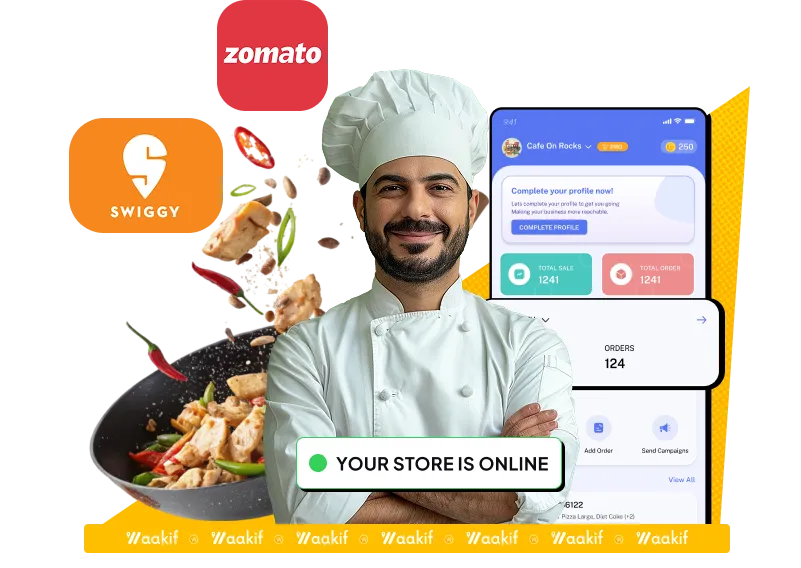
Swiggy, Zomato and your own store on one screen.
Aggregator tablets stacked on the counter is how orders get missed at the busiest moment. Every channel lands in the same queue here, in the order it arrived, so the kitchen works off one screen instead of three.
Swiggy and Zomato orders alongside your own
Track status without switching between apps
Fewer mis-keyed orders during a rush
Live inventory
Stop selling what you ran out of an hour ago.
Stock counts down as orders come in, across every channel at once. When something runs out it goes off the menu everywhere, not just where you remembered to switch it off.
One stock count across counter, store and aggregators
Items hide themselves when they run out
No refunds for orders you could not fulfil
WhatsApp
Updates people actually read
Order confirmations, ready-for-pickup notices and offers on the app already open on their phone.
QR menu
Order from the table
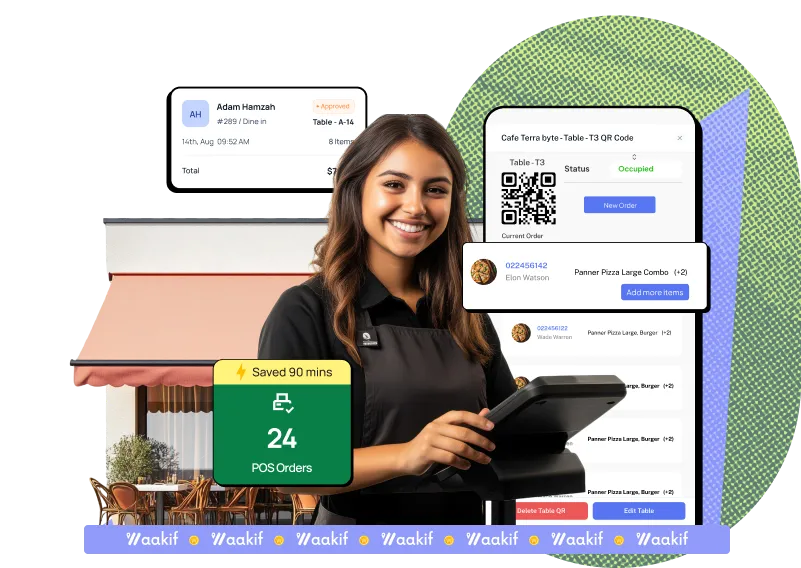
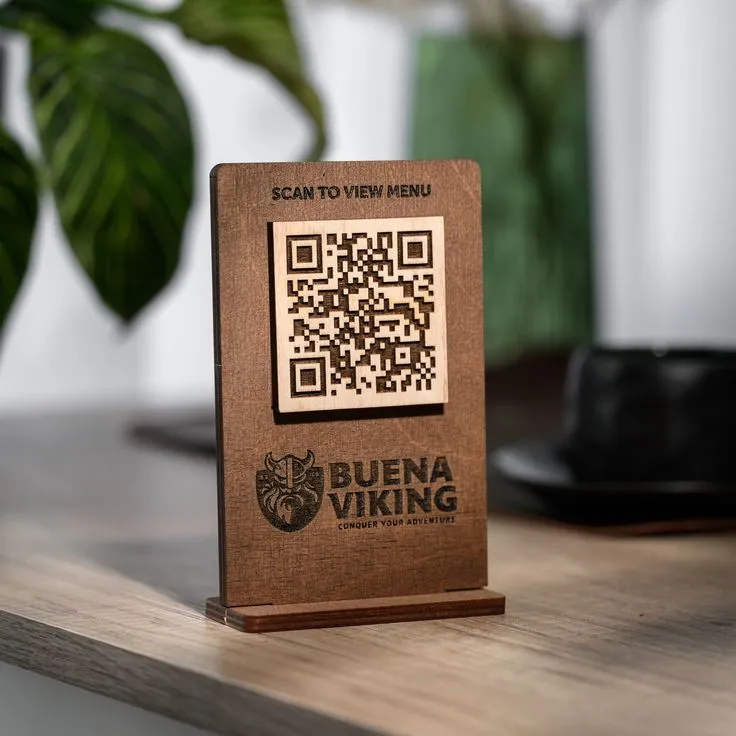
A code on the table opens your menu. They order and pay from their own phone, no waiting to be noticed.
AI insights
What sells, and to whom
Recommendations built from your own sales, not a generic best-practice list.
Swiggy and Zomato
Keep the reach. Lose the tablet shuffle.
Aggregators are good at being found. They are less good at the moment three of them ring at once during a dinner rush. Connect both accounts and their orders join the same queue as everything else — same screen, same stock, same kitchen ticket.
Track status without switching apps
Fewer mis-keyed orders when it is busy
Then bring those customers back on your own link
Every channel
Orders arrive from everywhere.They queue in one place.
Swiggy & Zomato
Aggregator orders arrive in the same queue as everything else.
QR menu at the table
Customers scan, order and pay without waiting to be noticed.
WhatsApp updates
Confirmations, pickup notices and offers where people actually read them.
Put the whole counter on one screen.
Build your menu, connect the aggregators and start taking orders. Free forever plan, and no commission on anything you sell.
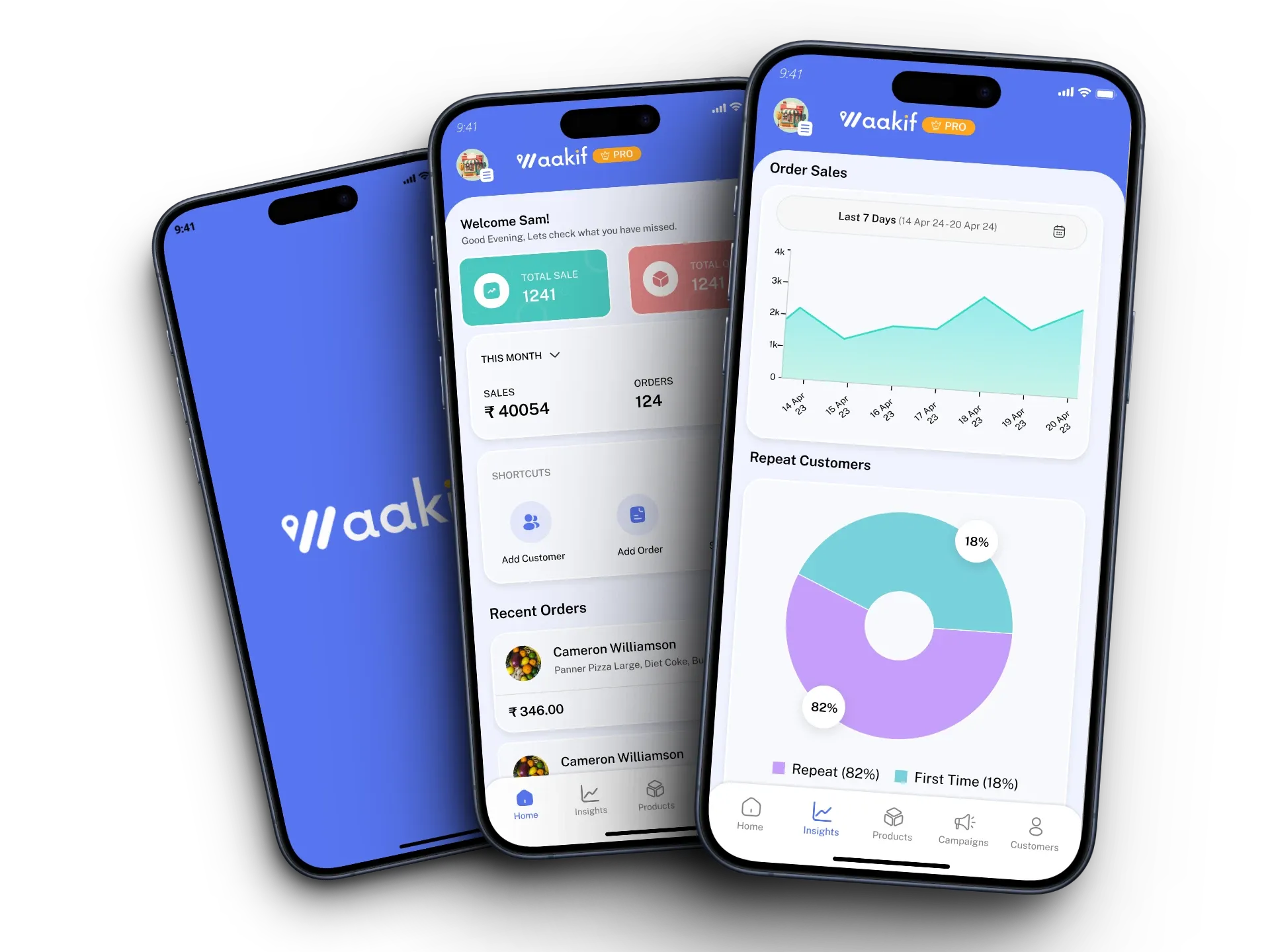
Sales for the week, orders as they land, and how much of your business is repeat custom rather than first-timers — on the counter screen or in your pocket.
Daily and weekly sales at a glance
Repeat versus first-time customer split
Add orders and customers from the app
What you get
A till that does the rest of the job too.
Centralised orders
Every channel in one queue — dine-in, takeaway, your online store, Swiggy and Zomato — so nothing waits on the wrong screen.
Billing that keeps up
Fast counter billing with table management, split bills and KOT printing built in rather than bolted on.
Loyalty on every bill
Points earned at the counter as well as online, so a walk-in becomes someone you can reach again.
Dashboard and mobile app
Run the day from the counter or check on it from your phone — the Android app shows sales, orders and repeat customers.
How it works
Running infour steps.
Most kitchens are taking orders the same day. Scroll through to see what each step involves.
01Under a minute
Sign up and configure
Add your outlet details, build the menu, and your online store is live almost immediately.
Outlet name, address and service types
Products, categories and add-ons with pricing
Your own ordering link, ready to share
02From settings
Connect Swiggy and Zomato
Link your aggregator accounts from the integration settings and their orders start arriving here.
Both platforms feed the same order queue
Menu and stock stay in step across channels
Keep the aggregators for discovery, own the repeat
03On the tables
Put out the QR menu
Print the code for tables and the shopfront so customers can order from their own phone.
Same catalogue as the counter and the online store
No reprinting when a price or item changes
Shorter waits at the table, fewer staff trips
04Then it compounds
Start capturing and marketing
Manage everything from one place while WhatsApp updates and offers go out on their own.
01Do Swiggy and Zomato orders really come into the same screen?
Yes. Once you connect both accounts from the integration settings, their orders arrive in the same queue as your dine-in, takeaway and online-store orders.
02Do I need new hardware?
No. The POS runs on what you already have, and there is an Android app for running the day from your phone.
03How long does setup take?
Signing up and building the menu takes minutes, and your online store goes live almost immediately. Connecting the aggregators is a settings step, not a project.
04Does stock update across all the channels?
Yes, and this is the main reason to run them together. One count serves the counter, your online store and the aggregators, so an item that sells out disappears everywhere.
05Can I still use the aggregators for discovery?
Yes, and most kitchens should. Keep them for reach, then use loyalty and WhatsApp to bring those customers back through your own link, where you pay no commission.
06Does Waakif take a cut of my orders?
No. Waakif never takes a commission on your sales, on any plan. You pay the plan fee and nothing else.
07Is there a free plan?
Yes, there is a free forever plan with no card required. The pricing page has what each paid tier adds.
Free forever plan
Simplify your restaurant operations today.
One screen for every order, one stock count behind it, and no commission on what you sell.